Five real headless CMSs with a visual editor
By Jan Ove Årsæther, Strategy Director and Senior Advisor at Maverix
Storyblok is our pick when editors need to build and change pages themselves. Here we compare it with Contentful, Builder.io, Sanity and Hygraph, and explain why we recommend Storyblok.
A headless CMS separates content from presentation. That brings flexibility and performance, but the editor loses the preview a traditional CMS has built in. When the preview is weak, every change lands with the developers and the editors wait. The visual editor therefore decides how much you gain from switching.
Storyblok's own survey The State of CMS 2024 shows that 61 percent of those who switched to headless reported higher ROI, and 58 percent reported time savings and productivity gains. Storyblok commissioned the survey, which covers 1,719 businesses, so read the numbers as a signal. We cover the findings in the article below.
Read more

Headless CMS: 99 percent report improvements
What a visual editor gives your editors
The editor sees the page as it will look, clicks the paragraph to change and types. That means fewer mistakes, faster changes and less waiting for a developer. All five systems in this article require a developer to connect the preview to the frontend first. Hygraph states itself that editors cannot switch on visual editing on their own, and in practice the same applies to the others.
How we assessed
The editor clicks an element on the page and changes it.
Changes appear as the editor types.
The editor assembles new pages from ready-made blocks.
The developer spends little time on setup in your framework. We use Nuxt.
Maverix is an official Storyblok partner. The assessment is ours, and every claim about the other systems links to the vendor's own documentation so you can check it yourself.
1. Storyblok: our pick for editors who build their own pages
Visual editor: Yes. The editor opens the page in the editor, clicks a block and changes the fields while the page updates. In its guide for Nuxt, Storyblok shows how a click on a component opens the matching block and how changed field values appear in real time.
Benefits:
A click on a component opens the block in the editor, and changes appear in real time via preview-bridge
Content is built from reusable blocks that developers define and editors assemble
Official Nuxt module and a dedicated guide for visual preview in Nuxt
One platform can carry several visual profiles, as De Bergenske uses it for its hotels and restaurants
Read more

STORYBLOK: Create outstanding customer experiences
Storyblok is also the system we use ourselves. maverix.no runs on Storyblok.
Documented effect: De Bergenske
De Bergenske got a new booking platform built on X Machina and Storyblok. Direct sales rose 23 percent, and unique visitors grew from 244,000 to 764,000 compared with the same period the year before. The figures come from Google Search Console, Piwik PRO, Ahrefs and BookVisit and cover the whole effort: platform, SEO, content and paid search. Read the full case (in Norwegian). SEO work later delivered 52 percent more clicks from Google (in Norwegian).
Read more

SEO
One domain gave De Bergenske 52 percent more clicks
2. Contentful: strong API, and Compose is being retired
Visual editor: Partly. Contentful is retiring the Compose app and points to live preview and Contentful Studio Experiences. Live preview shows the form and the preview side by side, and Studio Experiences gives non-technical teams a drag-and-drop interface for assembling layouts.
Benefits:
Flexible and API-driven
Live preview with the form and the preview side by side
Studio Experiences for drag and drop of layouts
Our assessment: Contentful suits teams that already have their data model there and want to add a visual layer on top. Studio Experiences is a separate product alongside Contentful itself, so setup and training grow larger than with Storyblok.
3. Builder.io: drag and drop with the components you already have
Visual editor: Yes. Developers register components from their own codebase, and editors drag them into place in the editor. Builder.io describes itself how developers control which components editors may use.
Benefits:
Drag and drop with components from your own code
Developers decide which components editors may use
Content in models with custom fields and targeting
Our assessment: Builder.io gives the editor the most freedom in layout. Storyblok gives freedom within the blocks the developers have defined, and that keeps the design consistent across many pages and languages. That is why we recommend Storyblok for organizations with many pages, several languages or several brands.
Read more

Design
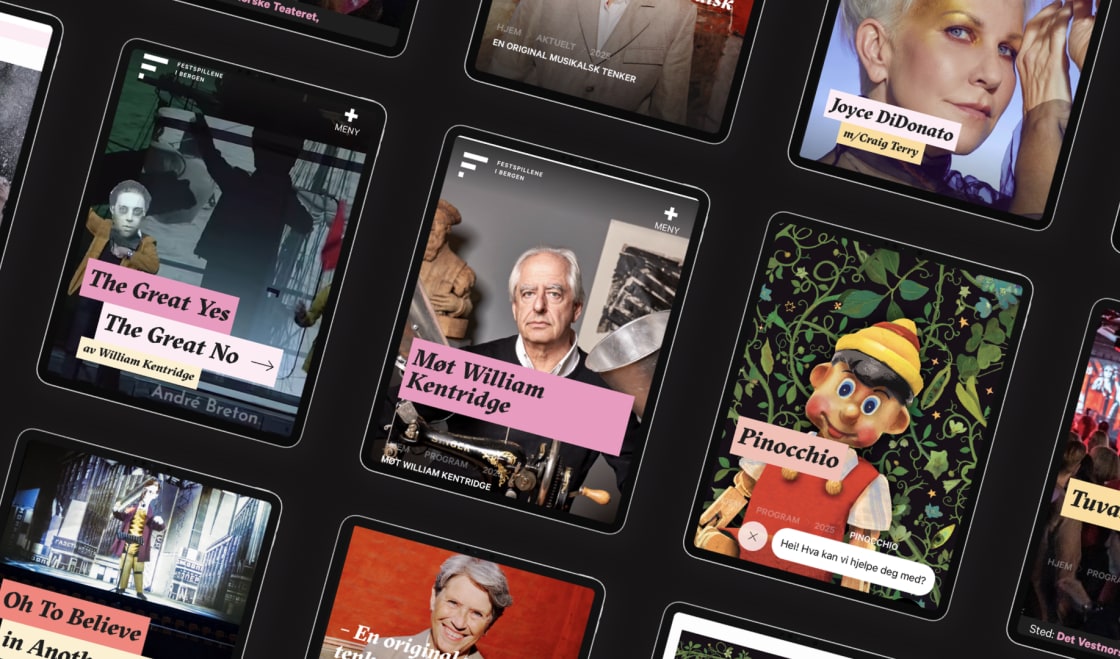
New digital platform for FESTSPILLENE i Bergen
4. Sanity: visual editing with Presentation Tool
Visual editor: Yes, after setup. Sanity describes how editors see drafts on the page, click an element and jump to the right field. Presentation Tool shows the preview next to Studio. According to Sanity's documentation, overlays can range from simple click to edit to drag-and-drop page building, depending on what the developers build in.
Benefits:
A flexible data model that developers shape freely
Real-time collaboration
Portable Text for structured text
Our assessment: Sanity suits developer teams that want to customize the whole editing experience. That gives great freedom and more building before editors get a finished workflow.
5. Hygraph: GraphQL with live preview and Click to Edit
Visual editor: Partly. Hygraph has two tools for visual editing: live preview, which shows the draft next to the form, and Click to Edit, which lets the editor jump from an element to the right field. Click to Edit requires Hygraph's Preview SDK and data attributes in the frontend.
Benefits:
GraphQL first, with a strong focus on performance
Live preview with a language switcher in the preview
Click to Edit to jump from element to field
Our assessment: Hygraph suits developer teams that build around GraphQL. Editors get a preview and click to edit.
How to choose
Choose Storyblok when editors need to build and change pages themselves. It also fits when content must reach several languages or channels, and when you want a partner who knows the system. Builder.io is the right choice when layout freedom for the editor matters most. Contentful, Sanity and Hygraph fit when the development team wants to own the whole editing experience and has time to build it.
Our recommendation is Storyblok for most marketing departments. The editor works on the page itself, the blocks keep the design consistent, and De Bergenske shows what a platform built on Storyblok can deliver when combined with SEO and content.
See how we work with websites, and read How much does a website cost? for prices. The glossary explains headless CMS and CMS, and the checklist below walks you through the choice step by step.
Read more
X Machina
The checklist for choosing a new headless CMS
Questions and answers about headless CMS and visual editors
What is the difference between a headless CMS and WordPress?
Which headless CMS has the best visual editor?
Can editors work without a developer in a headless CMS?
How do you connect Storyblok to Nuxt?
What results can a new CMS deliver?
Want to know more?